.svg)
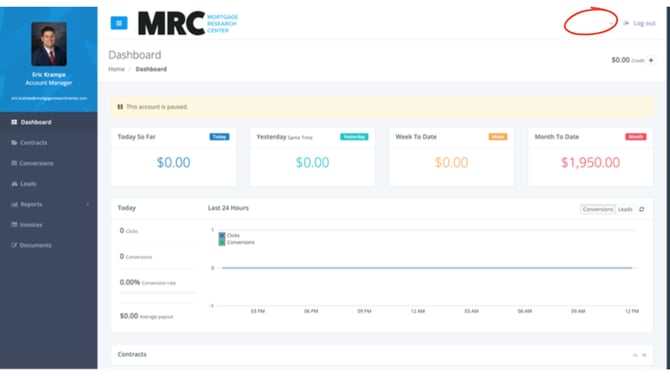
Login to the Mortgage Research Center portal. In the top right corner, click the user's name.
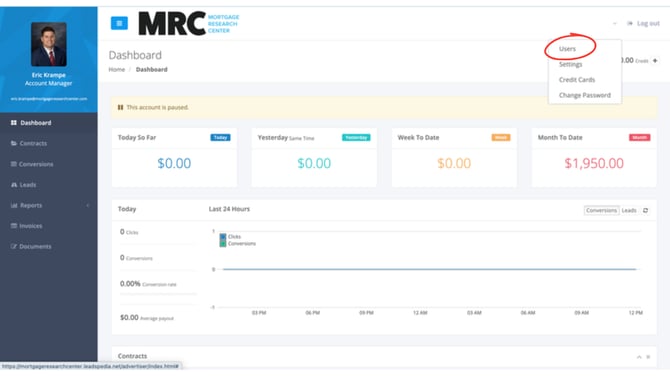
A drop down menu will appear with four options, click the "Users"option at the top. You will be redirected to a new page.
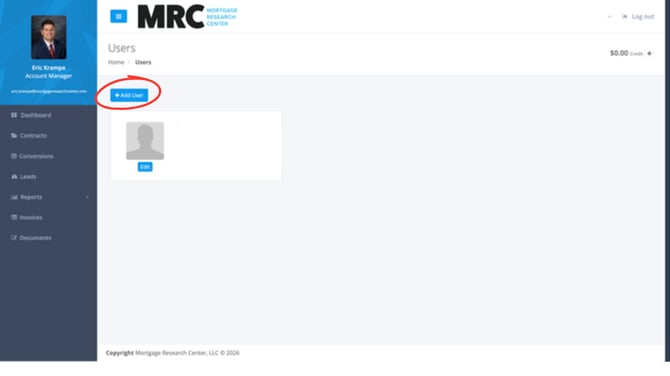
Click the blue "+ Add User" button.
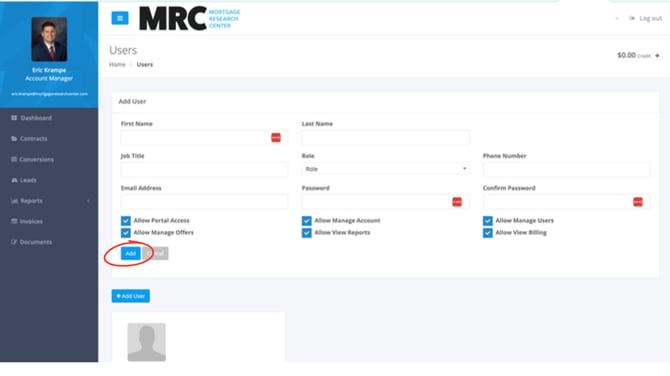
Enter the information for the new user and click the blue "Add" button.
You have successfully added a user to the MRC buyer portal.